
Best Desk Cable Organizer for Home Office
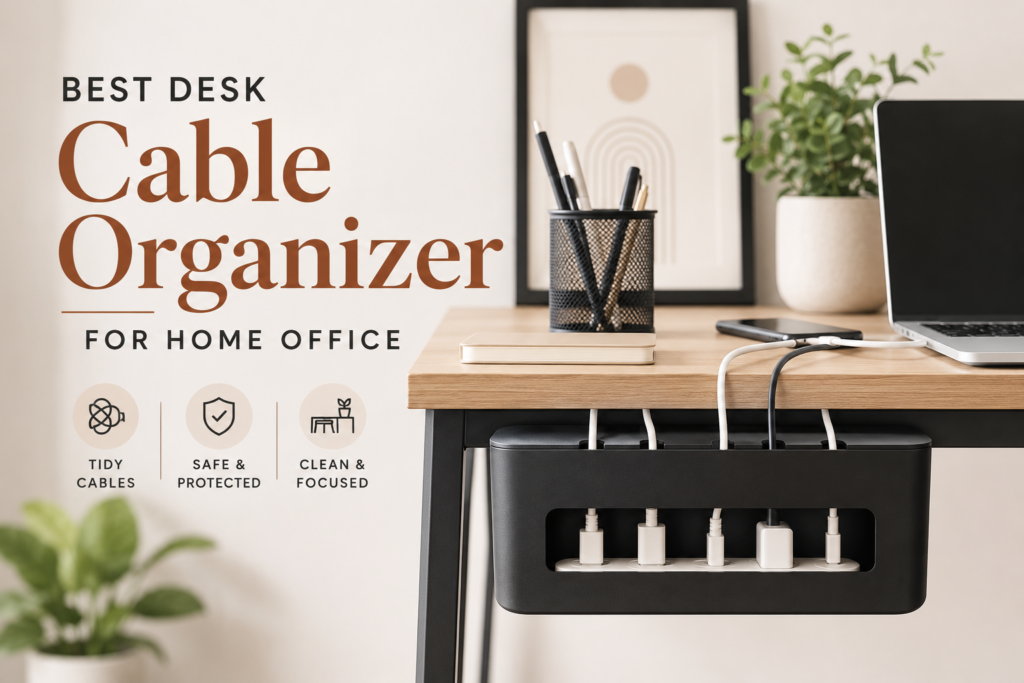
Every home office ends up the same way eventually. A charger cable disappears behind the monitor, a power strip gets wedged under a stack of books, and by month three you are unplugging three different cords just to find the one you actually need. The best desk cable organizer for home office setups fixes this in an afternoon, and it does more than just make the desk look tidy. It removes a genuine trip and fire hazard, and it clears out the kind of visual noise that quietly drains focus during a long workday.
This guide covers the different types of cable organizers worth considering, what actually matters when you are choosing one, and how to set your desk up so cords stay out of the way for good, not just for a week.
Why Cable Clutter Is More Than a Cosmetic Problem
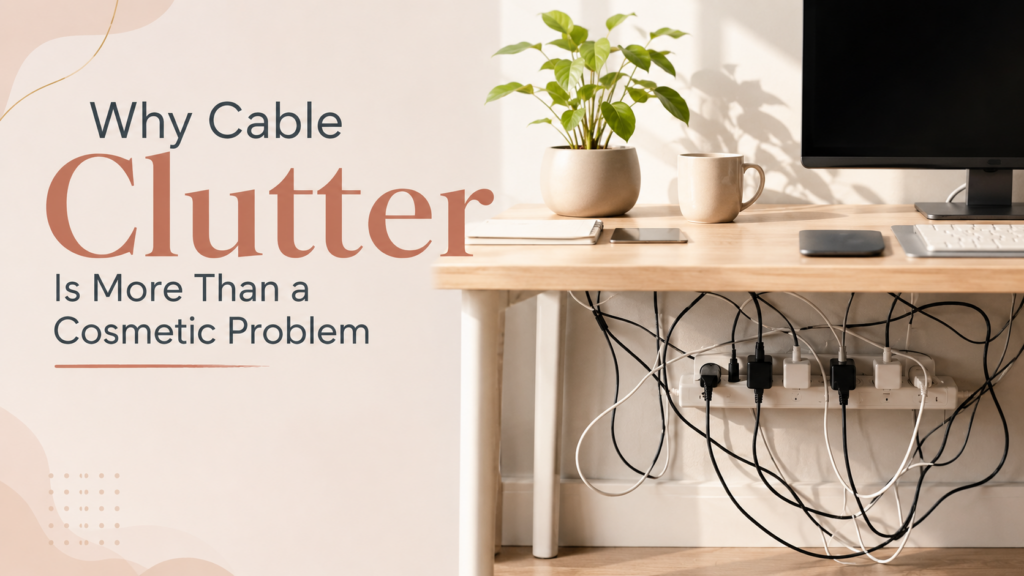
A tangle of cords under a desk looks messy, but the real cost is not aesthetic. Loose cables on the floor are a documented trip hazard, and OSHA specifically notes that flexible cords are more susceptible to damage than fixed wiring since they are exposed, flexible, and unsecured, which is exactly the situation under most home desks. Damage to a flexible cord’s insulation creates a real danger of shocks, burns, or fire, and that risk grows every time a chair wheel rolls over the same spot or a cable gets pinched under furniture.
Fire risk is not a theoretical concern either. The Consumer Product Safety Commission warns that unlisted or counterfeit extension cords, meaning ones without certification from a recognized testing laboratory such as UL, ETL, or CSA, can cause fires or electrical shocks, and the National Fire Protection Association specifically flags overloaded or damaged extension cords as a fire safety concern in the home. A cable organizer will not fix a genuinely unsafe cord, but it does make it far easier to spot fraying, overloading, and damage before either becomes a real problem, since everything is visible and separated instead of buried in a pile.
There is also a cognitive cost that most desk setup guides skip entirely. A study out of the Princeton Neuroscience Institute found that multiple stimuli present in the visual field at the same time compete for neural representation in the visual cortex, and that this competition can be counteracted by reducing the amount of unresolved visual clutter a person has to process. In plain terms, a tangle of cords sitting in your peripheral vision all day is quietly asking your brain to keep sorting through it, even when you are not consciously looking at it.
Types of Desk Cable Organizers and When Each One Makes Sense
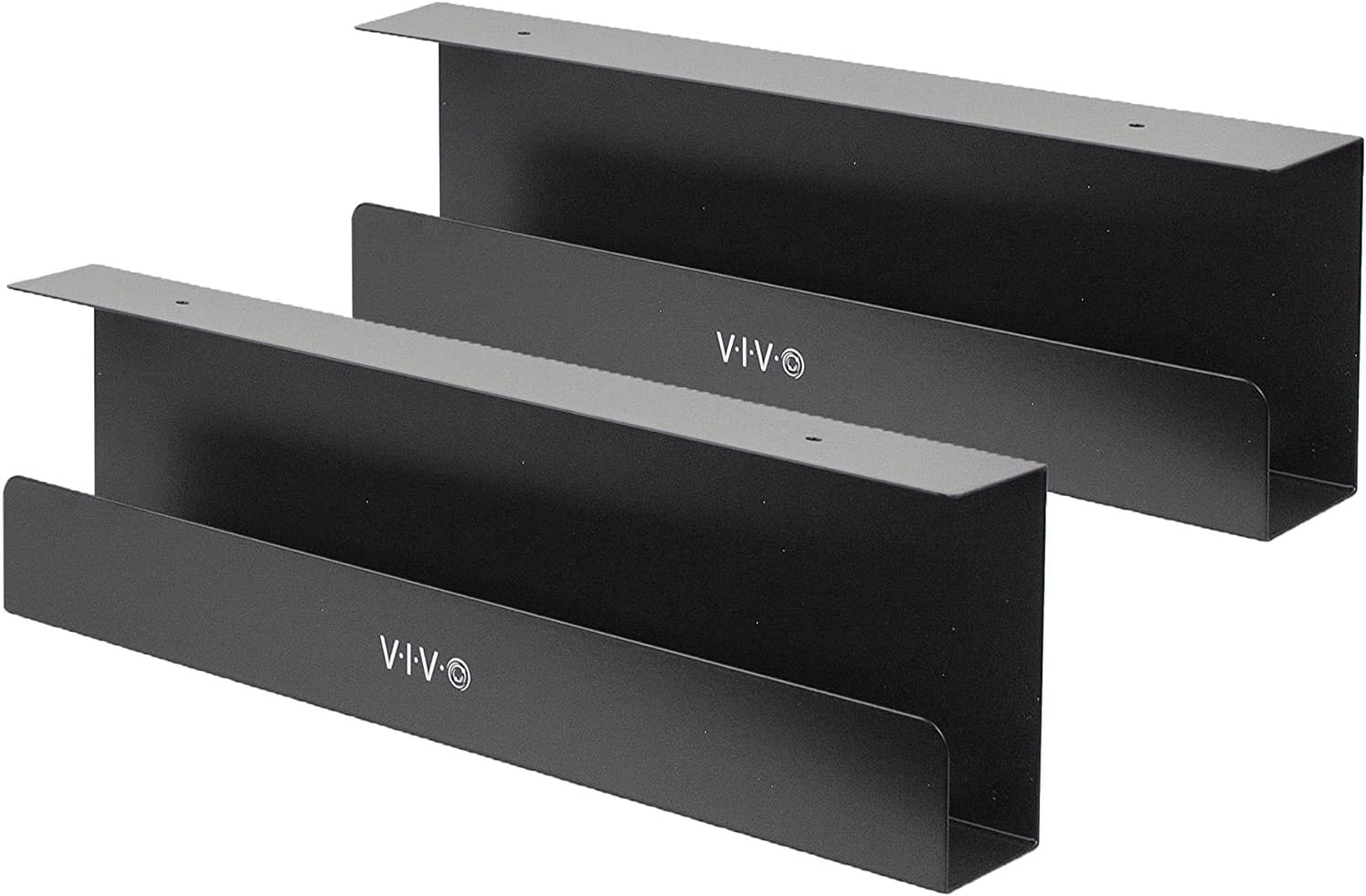
VIVO Under Desk 17 Inch Cable Management Trays, Power Strip Holders and Cord Organizers, Black, 2 Pack
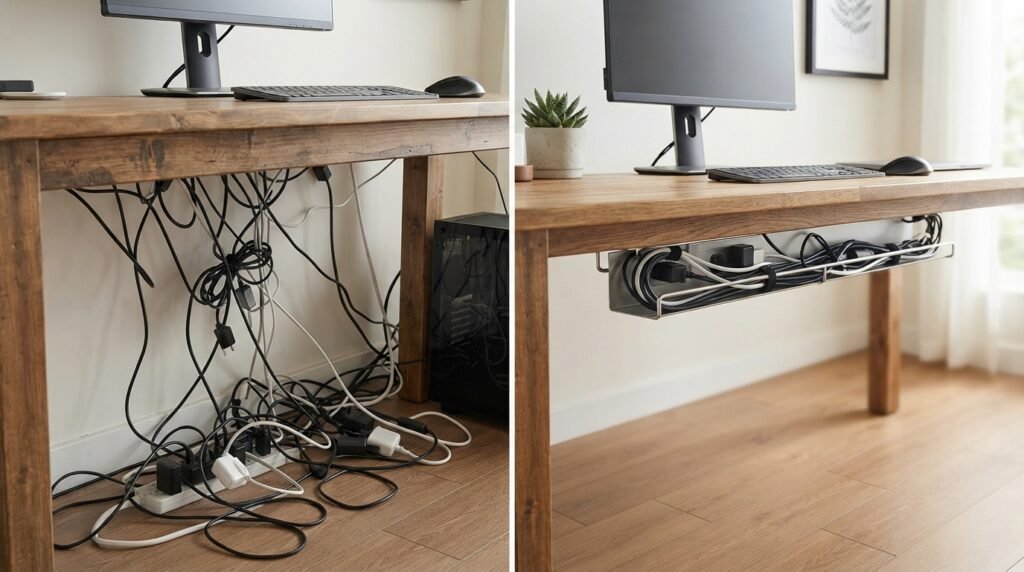
Cable management trays. These mount underneath the desk and hold power strips, adapters, and excess cord length off the floor entirely. They are the strongest option if you have a heavier power strip, a cluster of chargers, or a desk that already has a keyboard tray taking up under desk space, since a tray gives cords a dedicated home instead of relying on adhesive alone.

Delamu Cord Hider, 157-Inch Wire Covers for Wall and TV Cable Management, White
Cable raceways and channels. These are long, low profile covers that run along a wall, baseboard, or the back edge of a desk. They work best when cords need to travel a longer distance, such as from a wall outlet to a standing desk that moves position throughout the day, and they keep cords fully enclosed rather than just bundled.
Cable clips and adhesive mounts. Small clips that stick to the underside or back of a desk and hold one or two cords in a fixed path. These are the cheapest and fastest option, and they work well for a single monitor cable or charging cord, but they struggle once you are managing more than three or four cords, since the clips compete for the same limited mounting surface.
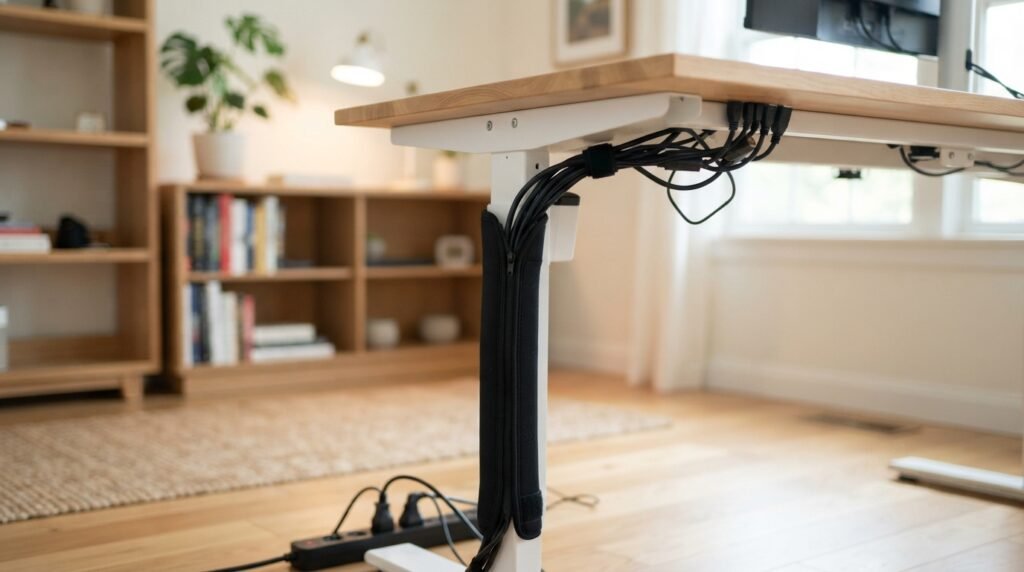
Cable sleeves and zip up wraps. A fabric or neoprene sleeve that bundles several cords into one thick, coiled tube. This is the best option for a desk that moves, gets rearranged often, or needs to look clean without any permanent mounting, since the whole bundle can be lifted and repositioned as one unit.
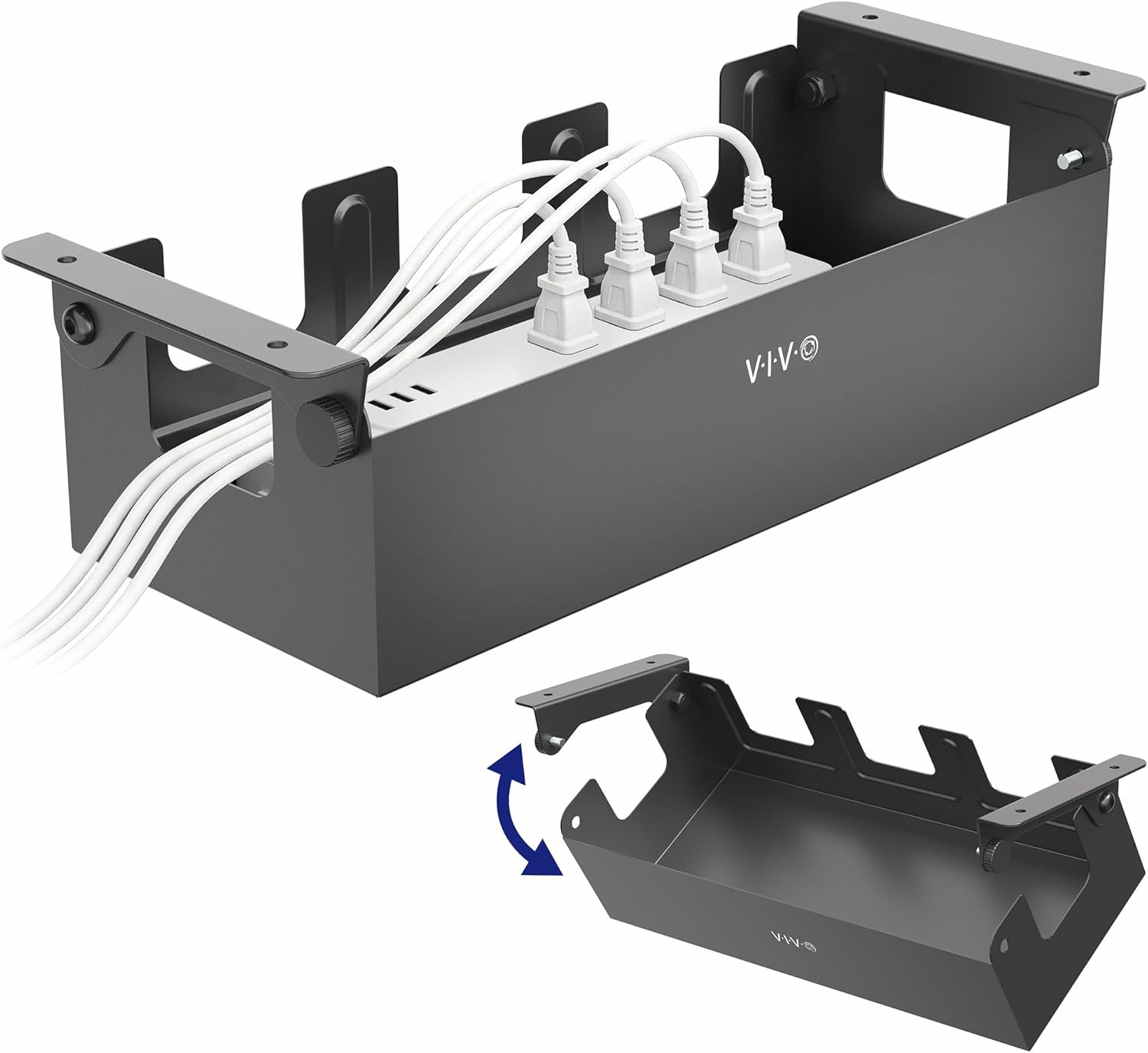
VIVO Flip-Open 16 Inch Under Desk Cable Management Holder, Steel Cord and Power Strip Organizer
Under desk cable boxes. An enclosed box that holds a power strip and hides the tangle of plugs going into it. This solves the specific problem of a power strip with six cords plugged into it sitting in plain sight, and it is often the single biggest visual improvement for a desk that has a lot of chargers and adapters running at once.
Most home offices end up needing two of these types together rather than just one, typically a tray or box for the power strip itself, plus clips or a raceway for the individual cords running from the tray to each device.
What to Actually Look For Before Buying One
Weight capacity that matches your real setup. A tray or clip rated for light phone chargers will sag or detach under the combined weight of a power strip, a monitor cable, and a laptop charger. Check the rated capacity against what you are actually planning to load onto it, not just the cord count.
Mounting method that fits your desk. Adhesive mounts work fine on solid wood or laminate but tend to fail on textured or painted surfaces over time. Clamp or screw mounted trays are more secure for anything permanent, though they are a poor fit for a rented space or a desk you plan to move.
Fire and safety certification on anything holding a power strip. If an organizer is going to house an actual power strip or extension cord rather than just low voltage device cables, check that the power strip itself carries a recognized safety certification. A cable organizer only manages the mess. It does not make an unsafe or overloaded power strip safe.
Enough capacity for growth, not just your current setup. Most people add at least one more device, an external monitor, a webcam, a speaker, within a year of setting up a desk. Buying a tray or sleeve with a bit of spare capacity avoids having to redo the whole system a few months later.
If you are also adding a wireless keyboard and mouse combo to your desk, cable management gets noticeably easier from the start, since removing two more cords from the equation is often a bigger win than any organizer alone.
How to Set Up Cable Management the Right Way
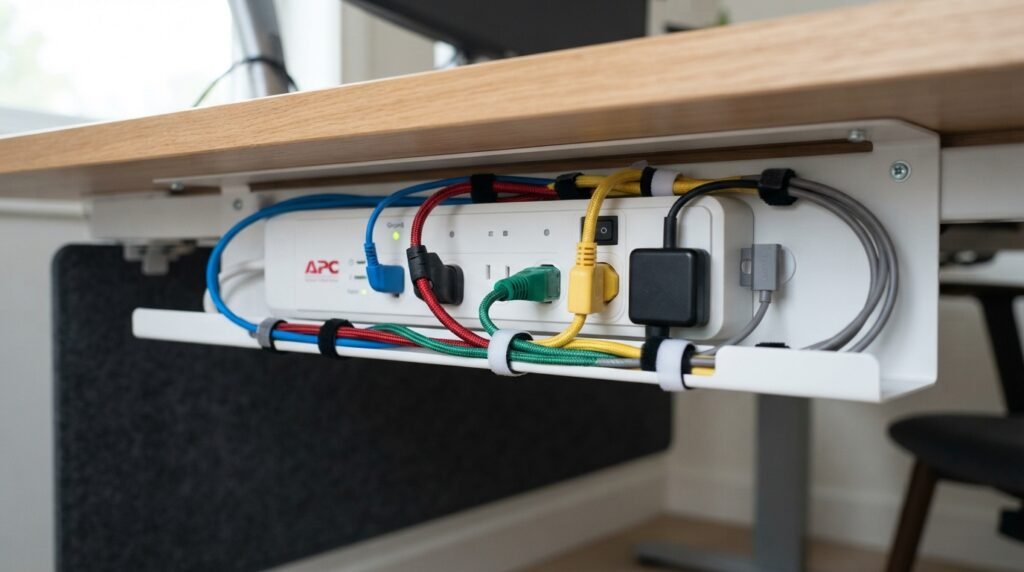
- Unplug everything and lay all your cables out flat so you can see exactly what you are working with, including length and which device each cord belongs to.
- Group cords by destination. Everything heading to the same power strip or the same side of the desk should travel together in the same tray, sleeve, or raceway.
- Mount the power strip or cable tray first, before running any individual cords, so you are not fighting an already placed tangle while trying to install it.
- Leave a small amount of slack in every cord rather than pulling each one taut. Tight cords under tension are more likely to strain connectors and pull out at the plug over time.
- Label cords at the plug end if you have more than four or five running to the same outlet. A cheap set of cord labels saves real time the next time you need to unplug one specific device without unplugging everything else first.
- Do a final check for any cord crossing a walkway or chair path, and reroute it along a wall or under the desk instead, since that is the single most common trip hazard in a home office.
For anyone building out a fuller setup, browsing computer accessories for a home office alongside a cable organizer is worth the extra few minutes, since a mismatched power strip or an underrated extension cord undoes the safety benefit of even a great cable management system.
Common Mistakes That Undo a Good Cable Management Setup
Daisy chaining extension cords together is one of the most common mistakes, and it is also one of the more serious ones from a fire safety standpoint, since it strains the rated capacity of both cords at once. Use a single longer cord instead.
Overloading one outlet or power strip with too many high draw devices is another. A monitor, a laptop charger, a desk lamp, and a space heater on the same strip is a common combination in colder months, and it is also exactly the kind of load that overheats a cord not rated for it.
Ignoring a cord that already looks damaged, frayed, or warm to the touch is a mistake people make constantly simply because replacing it feels like a hassle. Any of those signs mean the cord should be replaced immediately rather than tucked further out of sight inside an organizer.
Mounting everything in a fixed position before confirming your actual desk layout is final is the last one. Cable management installed too early, before you know exactly where the monitor, dock, and lamp will sit, often needs to be redone once the real setup takes shape.
Frequently Asked Questions
Do cable organizers actually reduce fire risk?
A cable organizer itself does not make an unsafe cord safe, but it does make it far easier to spot fraying, overloading, or damage early, since cords are visible and separated rather than buried in a hidden tangle.
What is the best cable organizer for a standing desk?
A cable raceway or sleeve that can extend and compress with the desk’s height range works best, since a rigid tray mounted at a fixed height can bind or detach as the desk moves up and down.
Can I use zip ties instead of a cable organizer?
Zip ties work for bundling a few cords together but do not solve the underlying problem of loose cords lying on the floor or hanging in view. They are a reasonable addition to a tray or raceway system, not a full replacement for one.
How many cable organizers does a typical home office desk need?
Most setups need two: one to contain the power strip and its plugs, and a second, such as clips or a sleeve, to route the individual cords running from that strip to each device.
Does cable clutter really affect focus and productivity?
Research on visual attention suggests that unresolved clutter in the visual field competes for cognitive processing, meaning a genuinely tidy desk can reduce a low level source of mental distraction throughout the workday, even when you are not consciously looking at the mess.
The Bottom Line
The best desk cable organizer for home office use is not the one with the most reviews online. It is the one that matches how many devices you actually run, keeps everything a safe distance off the floor, and leaves room to add one more cord without a full redo six months from now. Get the safety basics right first, cord certification, no daisy chaining, no overloaded strips, and the organizer you choose on top of that becomes a genuine upgrade instead of a nicer looking way to hide the same problem.