
Best International Power Adapter for Travel: What Features Actually Matter
Most people think about a travel adapter the night before a trip, shove one into a bag without reading anything, and then discover at the hotel that it either does not fit the outlet or charges their laptop at the speed of a trickle. The power adapter is one of those travel purchases where buying the wrong one is not apparent until you are in a foreign country with a dead laptop and a presentation in the morning.

This guide is about what actually separates a useful travel adapter from one that technically works but creates its own set of problems. The market in 2026 has genuinely improved, particularly around GaN technology and USB-C Power Delivery, but the number of mediocre options has also expanded alongside the good ones. Knowing what to look for makes the difference between a gadget you grab without thinking and one you quietly resent for three trips before replacing it.
The Adapter vs Converter Confusion That Causes Most Buying Mistakes
Before anything else, this distinction is worth understanding because it determines what you actually need.
A travel adapter changes the shape of your plug so it fits a foreign outlet. It does not change the voltage coming out of the wall. Most modern electronics, including phones, laptops, cameras, tablets, and wireless earbuds chargers, are dual voltage, meaning they accept anywhere from 100 to 240 volts automatically. If your charger label says “Input: 100-240V, 50/60Hz,” you only need an adapter. The device handles the voltage difference itself.
A voltage converter is a different, heavier, more expensive piece of equipment needed for single-voltage appliances like some hair dryers, curling irons, and older electric shavers. These are rated for 110V or 120V only, and plugging them into a 220V or 240V outlet without a converter will damage them regardless of what adapter you use.
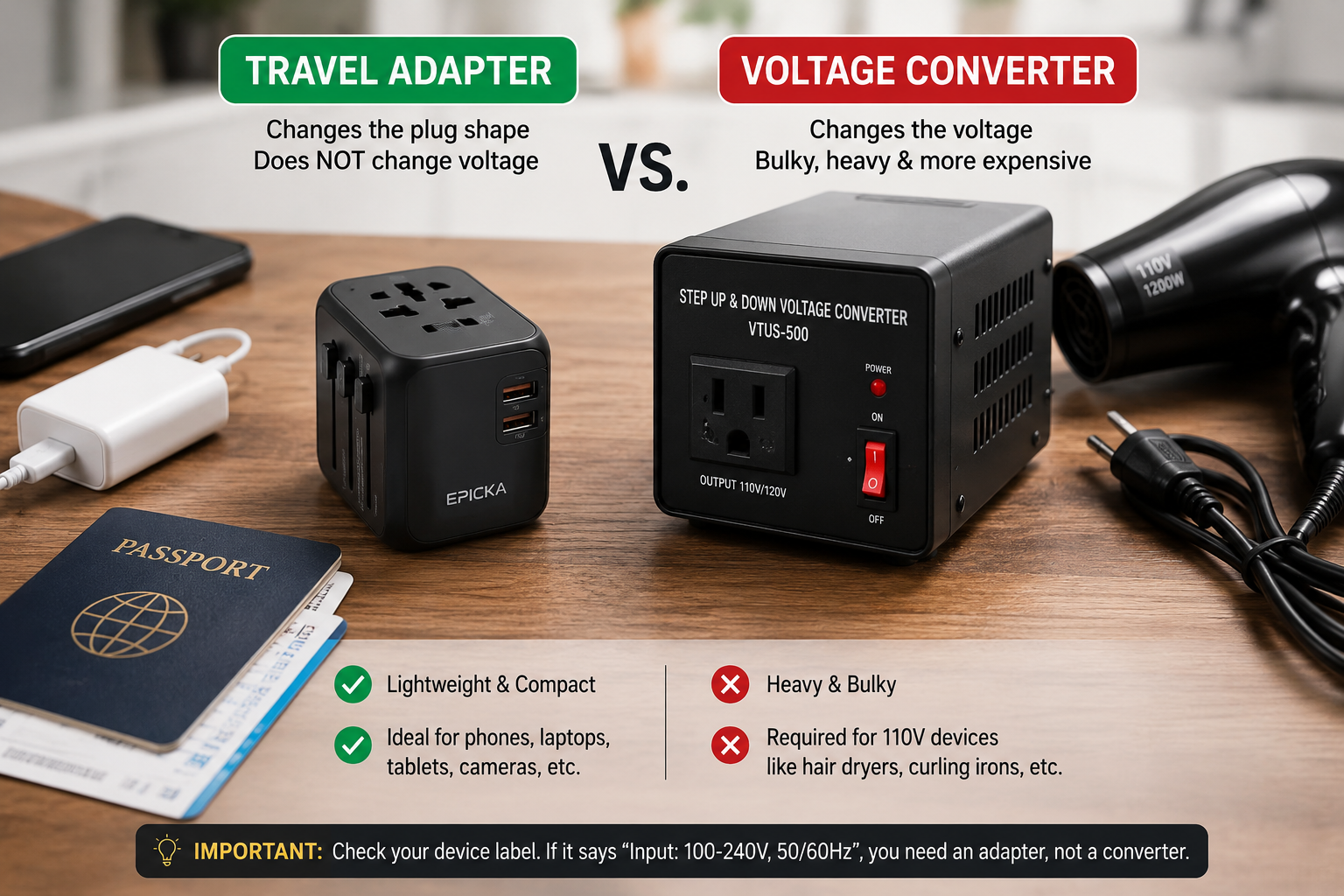
Check the label on your charger before you travel. For nearly every phone, laptop, and modern device, you need an adapter and nothing else. This matters because many buyers pay extra for converter functionality they never actually need.
Plug Types: What “Universal” Really Means
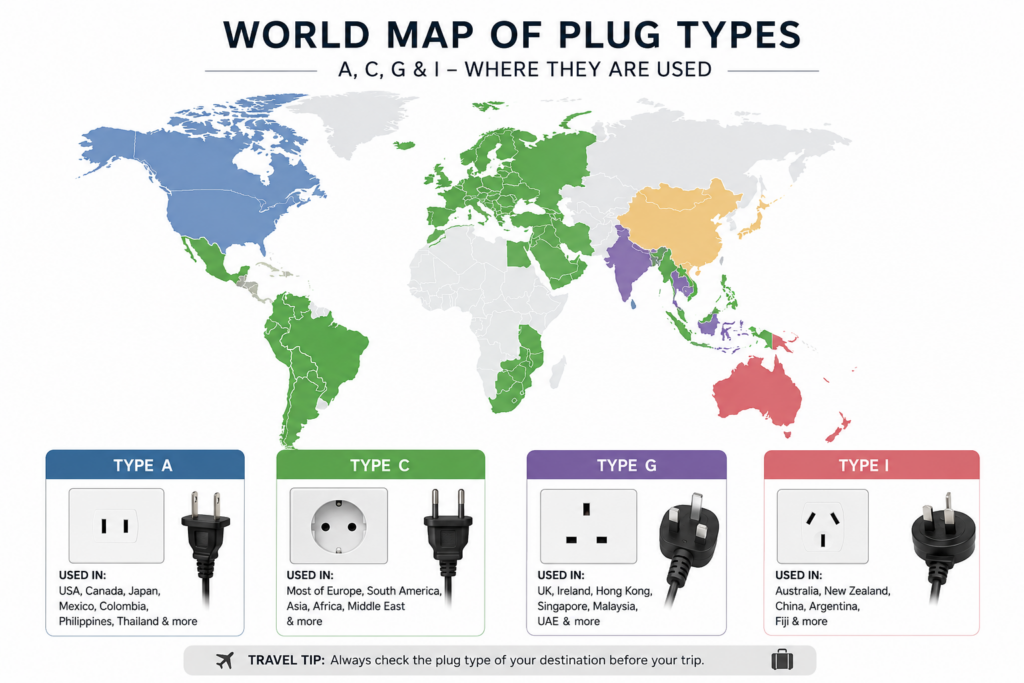
There are more than 15 plug types used across different countries, and no adapter covers all of them. When a product calls itself “universal,” it typically means it covers the four most common types: Type A (used in the US, Japan, and parts of Latin America), Type C (most of Europe, South America, and Asia), Type G (UK, Ireland, Hong Kong, Singapore, Malaysia), and Type I (Australia, New Zealand, and China). These four cover well over 150 countries, which is why “covers 150 countries” is a common claim.
What most universal adapters miss is Type D (India, parts of Africa and the Middle East) and Type M (South Africa, India). If your itinerary includes South Africa, India, or several countries in sub-Saharan Africa, confirm that the specific adapter covers those plug types before buying. Many popular models skip Type M entirely, which becomes a real problem if you rely on them there.
Slide-out pin designs are generally more reliable than adapters with removable pin heads. Removable heads work fine but introduce the possibility of losing the specific plug piece you need most. Slide-out mechanisms where you push a button and the correct pin set extends from the body keep everything together and reduce the chance of arriving somewhere with the wrong head in your bag.
GaN Technology: Why It Actually Matters for Your Bag
GaN stands for gallium nitride, a semiconductor material that runs significantly cooler and more efficiently than traditional silicon components. In practical terms, a GaN travel adapter can deliver laptop-level charging power in a body roughly the size of a large USB charger. A 65W GaN travel adapter in 2026 sells for around $40 to $60 and fits in the palm of your hand.
Before GaN became affordable in the travel adapter category, getting enough power to charge a laptop through a travel adapter meant carrying something noticeably bulky. Now the same wattage comes in a form factor that fits in a jacket pocket without making the pocket look obviously loaded.
The temperature difference also matters. Conventional silicon adapters running at higher wattages generate real heat, which is not a serious safety issue for quality brands but is noticeable and mildly concerning when the adapter has been running for a few hours in a wall socket. GaN runs cooler at the same output levels, which is better for the adapter’s longevity and for the stability of your charging session.
USB-C Power Delivery: The Spec That Determines Whether Your Laptop Actually Charges
Having a USB-C port on a travel adapter does not mean it can charge a laptop at a useful speed. Standard USB-C ports on budget adapters output 5 to 15 watts, which is enough for a phone but will either fail to charge a laptop at all or charge it so slowly that the battery drains faster than the adapter refills it under load.
For laptop charging, look for USB-C Power Delivery rated at 65W or higher. Most ultrabooks and MacBook Airs charge well at 65W. Larger MacBook Pros, 15-inch and 16-inch Windows laptops, and gaming-adjacent machines often want 90W to 140W to charge at full speed. Under 65W, a laptop may charge slowly or only hold its battery level while in use rather than gaining charge.
The TESSAN GM-636 delivers up to 100W from its main USB-C port and covers Types A, C, G, and I through slide-out pins, with multiple safety protections including a double fuse and thermal management chip. It sits around $38 to $60 depending on retailer and typically handles most laptop and multi-device charging needs in one unit.

TESSAN Universal Travel Adapter 100W GaN
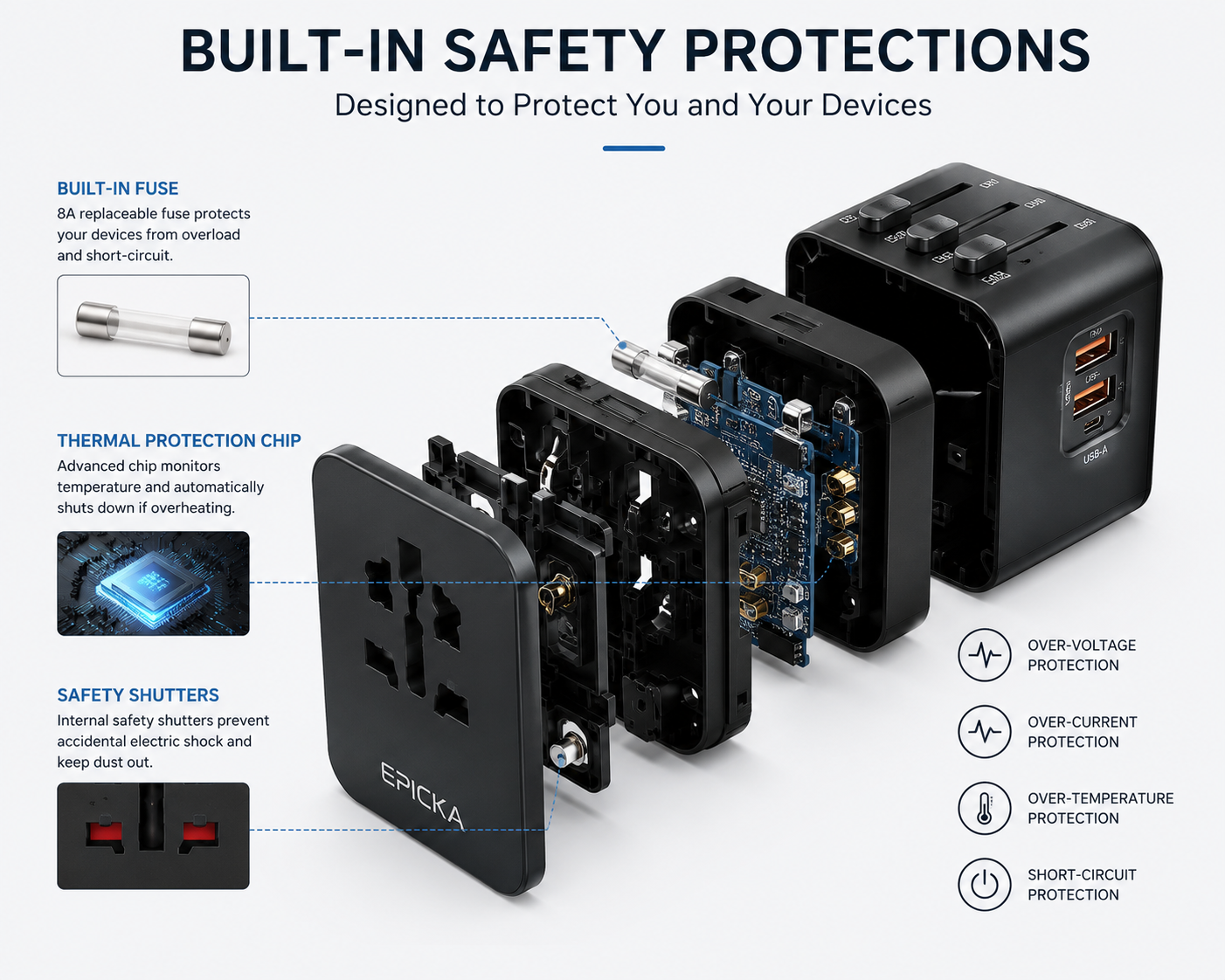
The EPICKA Universal TA-105 Max offers 75W USB-C PD with worldwide compatibility, a carry case, 8A fuse, and safety shutters. T3 rates it as their top pick for frequent travelers juggling multiple devices, and the thoughtful construction including grounded pins on the applicable plug types places it above most similarly priced competitors.
The Zendure Passport III covers 65W from its primary USB-C port with four USB-C ports and one USB-A port total. Worth noting: Zendure confirms the unit is not grounded to keep it lighter and smaller, and the 65W drops to 45W on the main port when any of the secondary ports are also in use. For someone who only occasionally charges a laptop through it, this is a workable tradeoff. For heavy laptop users, the power drop during simultaneous charging is worth knowing about before buying.
Safety Features: The Ones Worth Paying For
Most reputable travel adapters include surge protection, a built-in replaceable fuse, safety shutters on the AC outlet (which prevent children and debris from making contact with live pins), and thermal protection that reduces power output if the adapter gets too hot.
Certifications to look for include CE marking (European safety standard), FCC (US certification), RoHS (restriction of hazardous substances), and UL or BS8546 for UK safety. An adapter without visible safety certifications in its listing is not the product to trust with a $1,500 laptop in an unfamiliar electrical system.
One specific safety point that comes up with cruise travel: most major cruise lines prohibit power strips and adapters that include surge protection. If you cruise regularly, TESSAN’s Ultra Thin 25W model is specifically designed for this scenario and ships without surge protection for cruise compliance. It is also the lightest option for anyone who only charges phones and does not need laptop-level output.
Grounding is worth understanding before dismissing it. An ungrounded adapter is perfectly safe for phones, tablets, and most dual-voltage electronics. For laptops and devices with three-prong plugs, an ungrounded adapter occasionally produces a mild tingling sensation on metal surfaces because of chassis current leakage. It is not dangerous in most circumstances, but a grounded adapter eliminates it entirely. If you regularly charge a metal-body laptop and find the tingling sensation unsettling, look for adapters where the G and I plug types are grounded, which TESSAN’s GM-636 confirms.
How Many Ports Do You Actually Need?
The temptation with travel adapters is to buy the one with the most ports and assume more is always better. In practice, the port configuration needs to match how you actually travel.
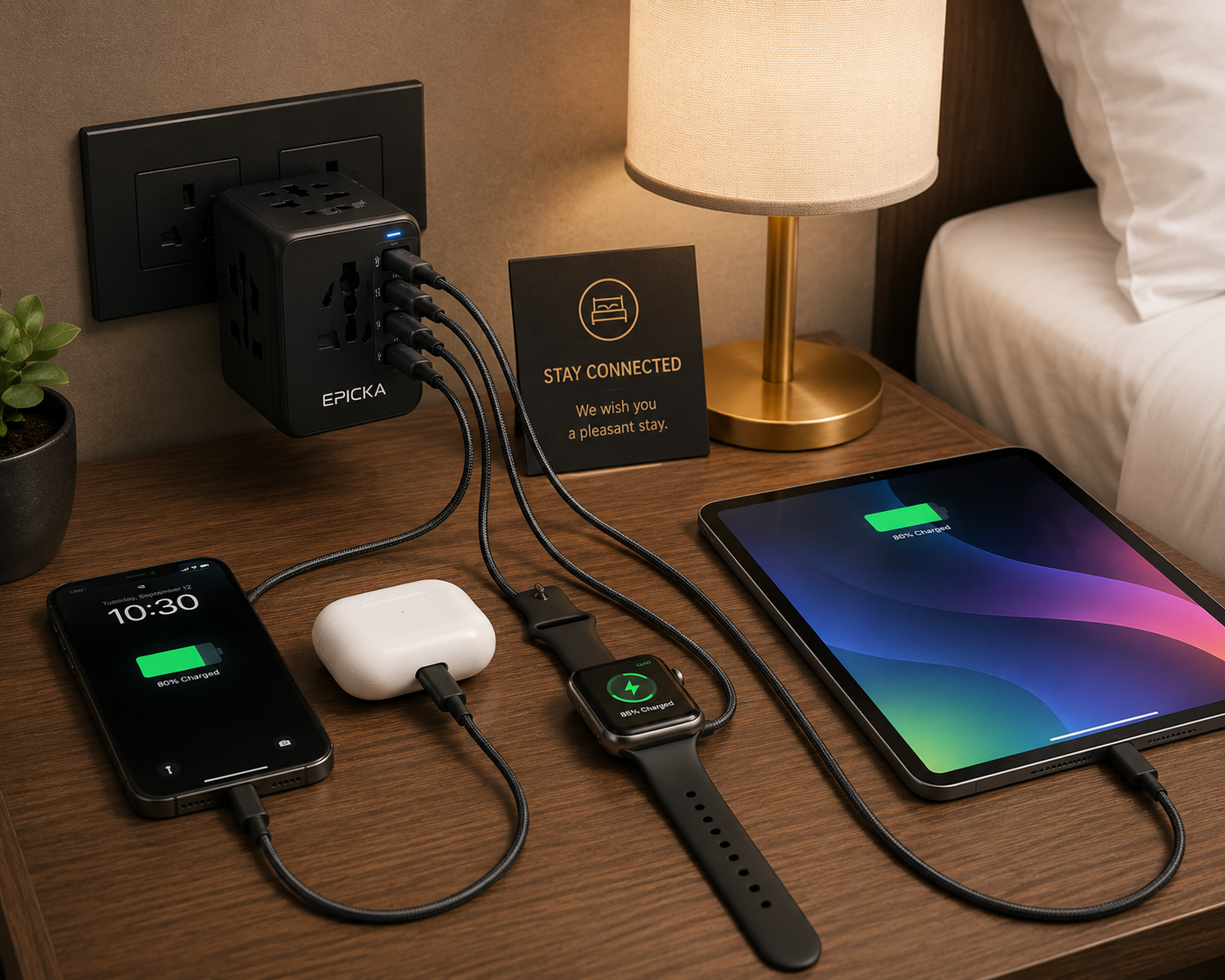
A solo traveler with a phone, wireless earbuds, and a laptop needs a minimum of two USB-C ports: one for the laptop at higher wattage and one for everything else. A single USB-C PD port that drops power when the second port is in use creates a problem. Two independent USB-C ports with separate power allocations avoids this.
Couples or small groups traveling together benefit from three or four USB-C ports plus a USB-A port for older cables and accessories that have not been replaced yet. USB-A is increasingly dated but appears on enough accessories, older power banks, and regional electronics that having one port available prevents a frustrating situation in an unfamiliar city.
An AC pass-through socket on the adapter is genuinely useful for travelers who use a laptop charger with a bulky brick that will not fit into a USB-C port, or for devices like CPAP machines and travel irons that need a standard wall connection rather than USB charging.
Weight and Size in Context
The lightest adapters sacrifice port count and wattage. The most capable adapters are heavier. Neither extreme is objectively right, and the decision comes down to honest assessment of your travel habits.
For a weekend trip or a business trip where you carry minimal electronics, a compact 25W to 45W unit fits in a small bag pocket without adding meaningful weight. For longer trips, digital nomads, or anyone carrying a laptop plus multiple devices, the modest extra weight of a 65W to 100W GaN unit is worth it to avoid slow charging and dead batteries at inconvenient moments.
If you also carry a power bank with a built-in cable, the adapter only needs to handle wall socket charging for the power bank and laptop. This combination, an adapter that charges the bank and laptop at the wall, and the bank handling phone and accessory charging in transit, is one of the cleaner setups for travel because it reduces how many things need to find a wall socket simultaneously.
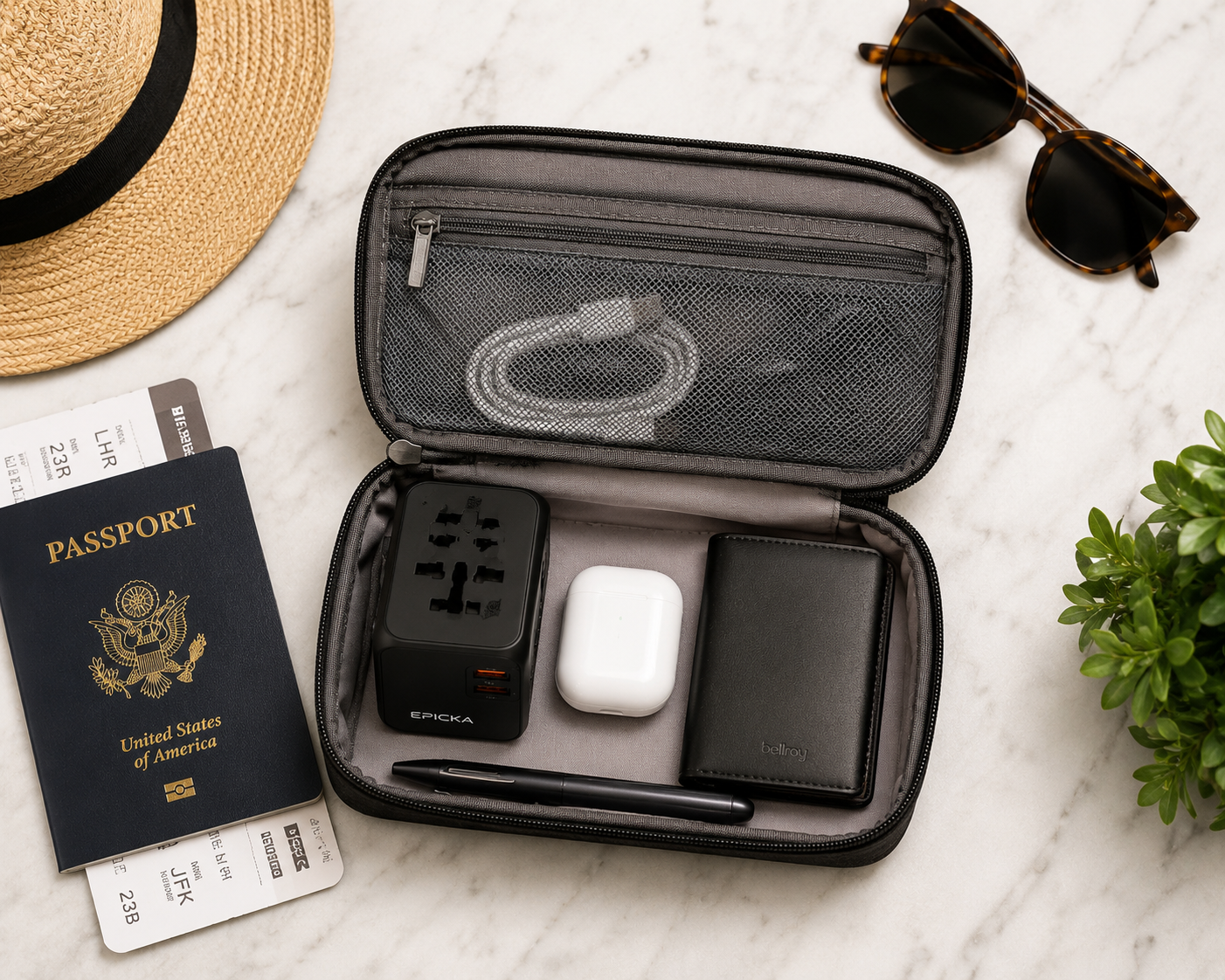
For international travel specifically, pairing your adapter with a power bank with built-in cables means you can charge multiple devices away from the room and only need the wall adapter when you are back at the hotel. This matters more than it sounds in countries where hotel rooms sometimes have only one or two outlets in the entire room.
Specific Situations That Change the Buying Decision
South Africa and India are the most common destinations where travelers get caught with the wrong adapter. Type M (South Africa) and Type D (India) are missing from many universal models. If your itinerary includes either, verify plug type coverage on the specific listing rather than assuming “universal” covers them.
Older buildings in parts of Europe, Asia, and South America sometimes have non-standard outlet depths or spacing that causes even compatible plug types to fit loosely. An adapter where the pins have a slightly wider clearance or where the body is compact enough to make full contact tends to work better in these situations than a bulkier model with a larger face plate that cannot seat fully.
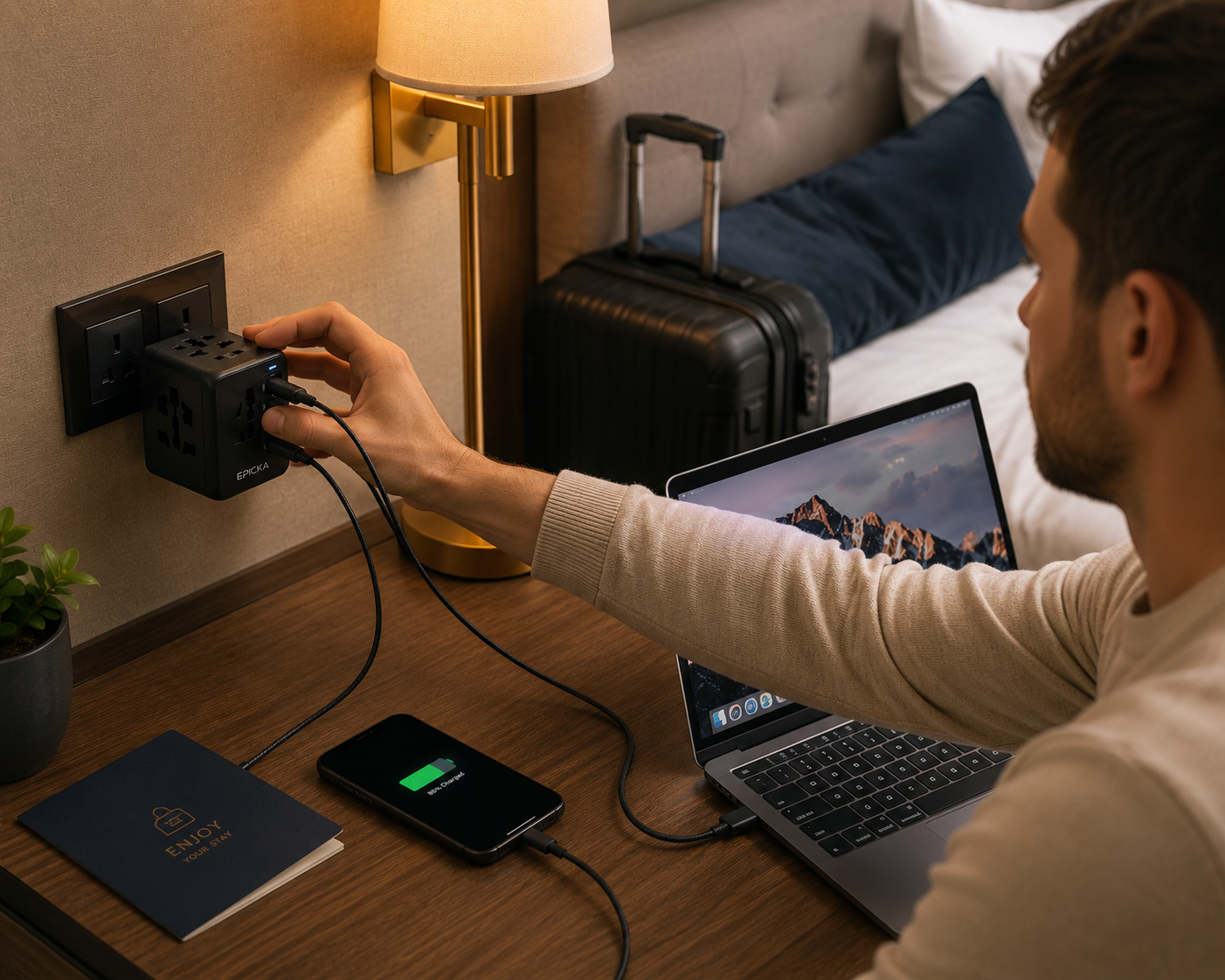
Airport charging areas and lounges increasingly have USB-C outlets alongside traditional sockets. A travel adapter that also functions as a standalone USB-C hub means you can take advantage of these without the adapter itself needing to be involved. Not a primary buying factor, but worth keeping in mind if you spend significant time in transit.
Top Picks Summarized by Use Case
For most travelers going to Europe, the UK, Asia, and Australia: the EPICKA Universal TA-105 Max at 75W covers the majority of international destinations with solid build quality, safety certifications, and a carry case that keeps it from collecting bag debris between trips.
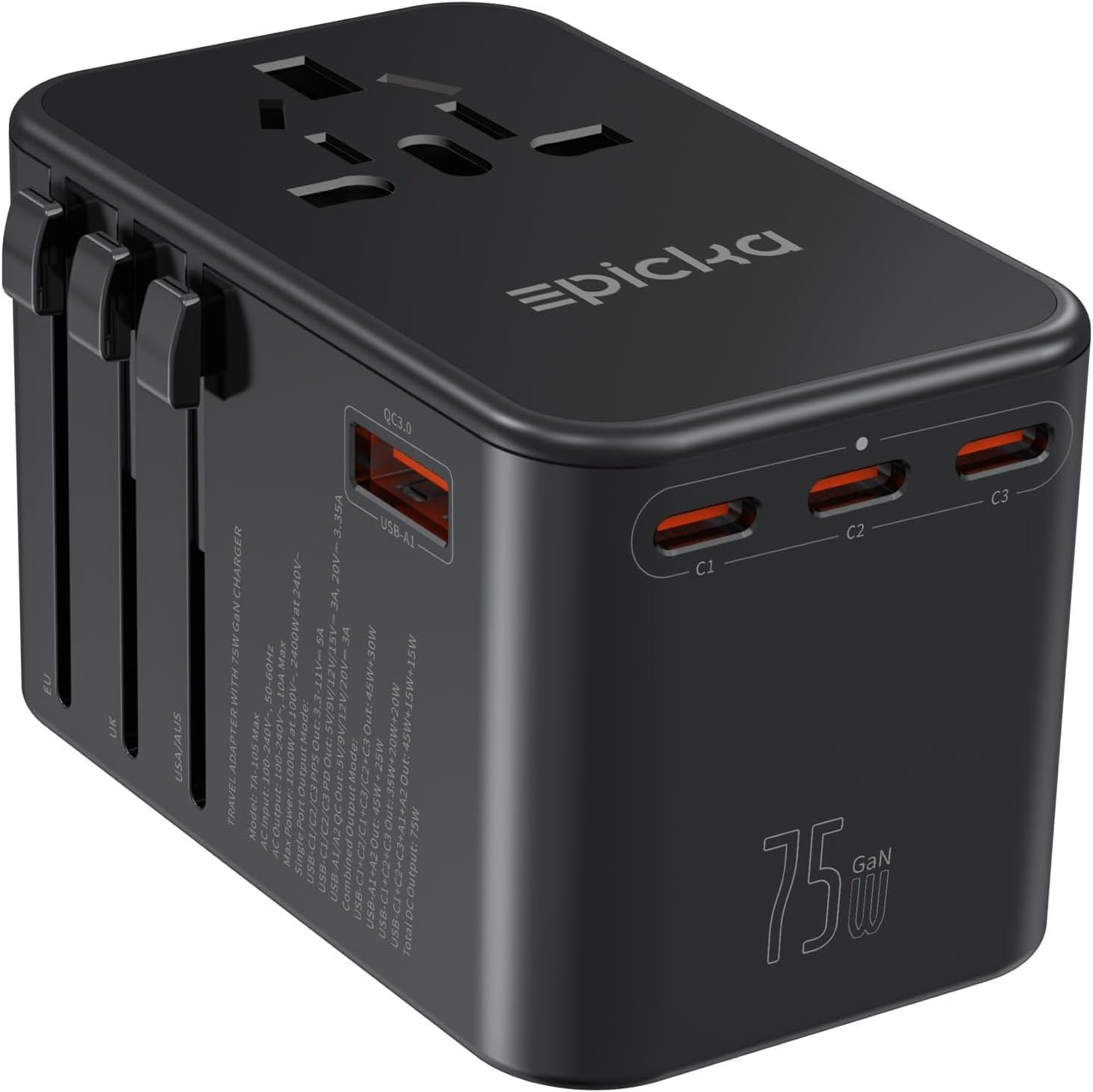
EPICKA Universal Travel Adapter
For travelers who need maximum wattage and charge many devices simultaneously: the TESSAN GM-636 at 100W with its thermal management and double fuse provides the most power in this category without pushing into genuinely expensive territory.
For minimalist or weekend travelers charging only phones and earbuds: the TESSAN Ultra Thin at 25W is lighter and smaller, fits in a shirt pocket, and costs significantly less. It is not the answer for laptop charging, but it is the right answer for the majority of trips where a laptop is not involved.
For cruise travelers: the TESSAN Ultra Thin is specifically noted for cruise compatibility because it skips surge protection, which is the feature most cruise lines prohibit in their power policy.
Frequently Asked Questions
Do I need a voltage converter or just an adapter? Check the label on your charger brick. If it says “Input: 100-240V, 50/60Hz,” you need only an adapter. If it says “Input: 110V” or “120V only,” you need a voltage converter for countries with higher voltage standards, which includes most of Europe, Asia, the UK, and Australia.
Will a universal travel adapter charge my laptop? Only if it has a USB-C Power Delivery port rated at 65W or higher. Standard USB-C ports on budget adapters charge at 5 to 15W, which is not sufficient for most laptops. Confirm the wattage on the specific port before buying.
Is it safe to charge multiple devices through one travel adapter? Yes, provided the adapter has a total wattage rating high enough to cover all connected devices simultaneously. Running two USB-C devices at full power through a 65W adapter means each device receives less than 65W. Check whether the adapter splits power intelligently across ports or drops to a fixed lower rate when multiple ports are in use.
Can I bring a travel adapter in my carry-on luggage? Yes, travel adapters are permitted in carry-on and checked luggage. If your adapter also incorporates a large power bank exceeding 100Wh, the power bank portion may have airline restrictions, but a standard adapter without battery capacity has no flight restrictions.
What is the difference between a grounded and ungrounded adapter? A grounded adapter includes the third earth pin in compatible plug configurations, which provides a path to ground for electrical fault current. This matters more for laptops and metal-body devices than for phones and tablets. An ungrounded adapter is safe for most electronics but can produce minor chassis tingling on metal-body laptops in some electrical systems.
Are cheap travel adapters dangerous? Generic no-brand adapters with no visible safety certifications carry real risk, particularly in countries with less stable electrical infrastructure. Overcurrent protection, surge protection, thermal management, and fuse protection are the features that prevent damage to your devices in the event of a power spike. Budget options from reputable brands with visible CE, FCC, or UL certification are fine. Unbranded options without certifications are not worth the savings.
The Bottom Line
The features that actually matter in a travel adapter in 2026 come down to three things: plug type coverage for your specific destinations, USB-C Power Delivery wattage high enough for your laptop, and safety certifications from a recognizable testing authority. Everything else, the number of ports, the weight, the carry case, the cruise compatibility, is about matching the adapter to your particular travel style rather than chasing a universal best.
For most people taking international trips with a phone and laptop, a 65W to 75W GaN adapter covering Types A, C, G, and I handles the overwhelming majority of global destinations without requiring thought on arrival. Knowing whether Type D or M coverage is needed for your route is the one piece of homework worth doing before buying, and it takes about thirty seconds to check.