
Best AI Smart Glasses for Everyday Use in 2026
A few years ago, smart glasses were mostly a novelty. You bought them, recorded a few clips at a party, and within a month they sat in a drawer next to a fitness tracker you also stopped wearing. That has genuinely changed in 2026. The glasses people are buying now are not trying to put a screen in front of your eyes for the sake of it. The good ones quietly help you get through your day, answering questions, translating conversations, reading out messages, and doing it all without forcing you to pull your phone out every few minutes.
The tricky part is that “smart glasses” has become an umbrella term covering very different products. Some have cameras and no display at all. Some have a screen built into the lens. Some are barely smart and mostly just stylish Bluetooth speakers on your face. If you are shopping for everyday use rather than gaming or watching movies on a flight, the right pick depends on what kind of help you actually want from them.
The Two Real Categories You Are Choosing Between
Before naming specific models, it helps to understand the split, because it explains why “best AI glasses” means something different to different people. Audio first glasses skip the display entirely and rely on voice and a camera, which keeps them light, comfortable for all day wear, and easy on battery since there is no screen pulling power. Display first glasses add a visual overlay, either showing notifications and directions in the corner of your vision or projecting a full virtual screen you can use like a private monitor.
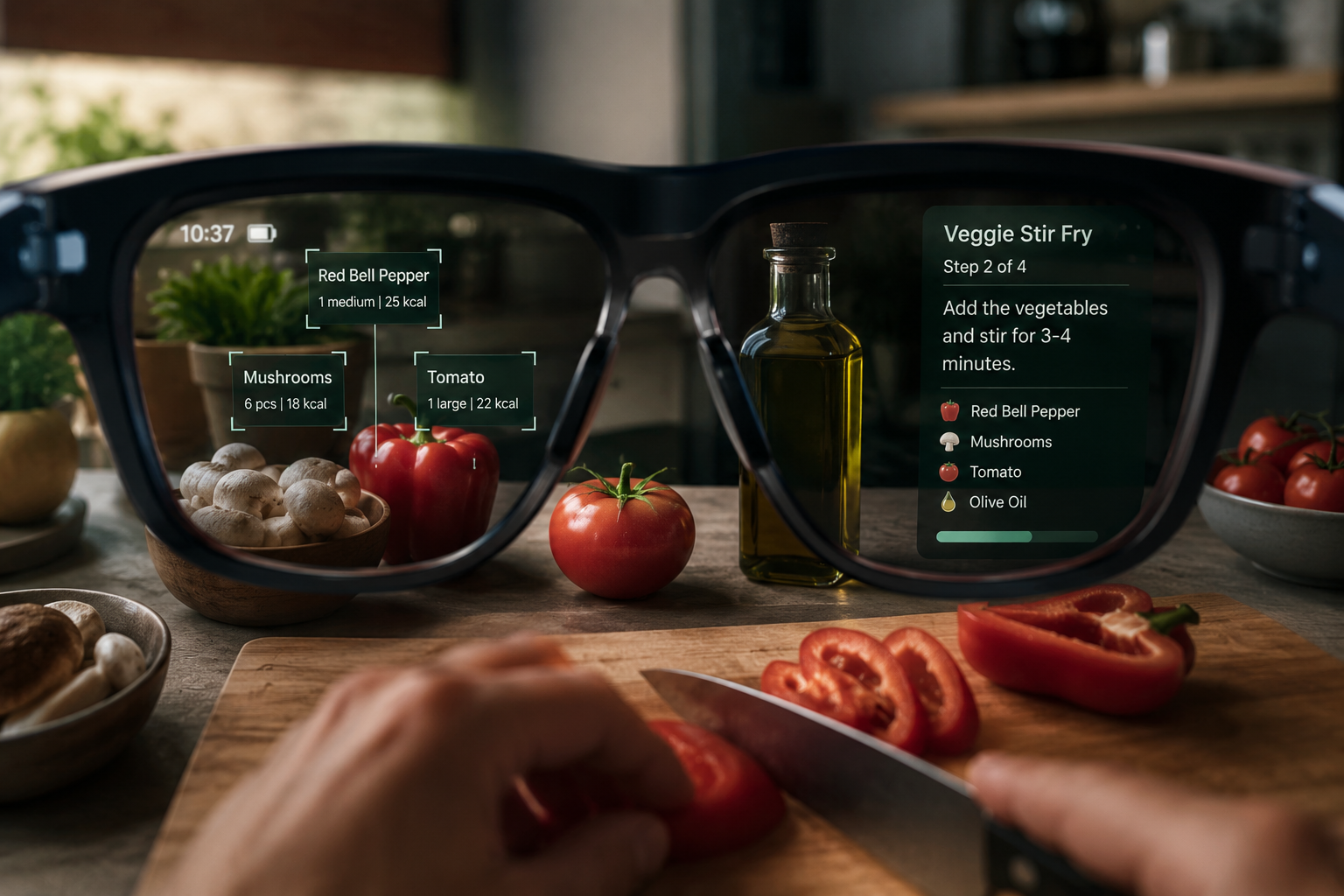
For most people asking about everyday use, audio first is the more practical category. You are not trying to replace your laptop screen on the train. You want something that answers a question while your hands are busy, captures a moment without holding a phone up, or reads a text message out loud while you are cooking.
Best Overall for Everyday Use: Meta Ray-Ban Gen 2
If you want one pair of glasses that handles daily life without drawing attention, this is the one most reviewers keep landing on. The collaboration with EssilorLuxottica means the frames genuinely look like normal Ray-Bans rather than a tech accessory, which matters more than people expect once you are wearing them at work or out to dinner. The built in camera shoots sharp video, the Meta AI assistant can answer questions about whatever you happen to be looking at, and the redesigned charging case now adds a meaningful amount of extra battery on the go.
What makes this practical for daily use rather than a gimmick is the assistant actually being useful in ordinary moments. Looking at a recipe and asking what the next step is, glancing at a broken appliance and asking what the part is called, or just asking it to describe something without breaking your hands away from what you are doing. The price typically lands between $299 and $379 depending on lens and frame choice, which is reasonable for a daily wear gadget that doubles as your regular glasses.
The tradeoff is straightforward. There is no display, so notifications and information come through open ear speakers rather than appearing in front of your eyes. If you specifically want to see things rather than hear them, this is not your pick.

Meta Ray-Ban (Gen 2)
Best for Reading Information Without Looking at Your Phone: Even Realities G2
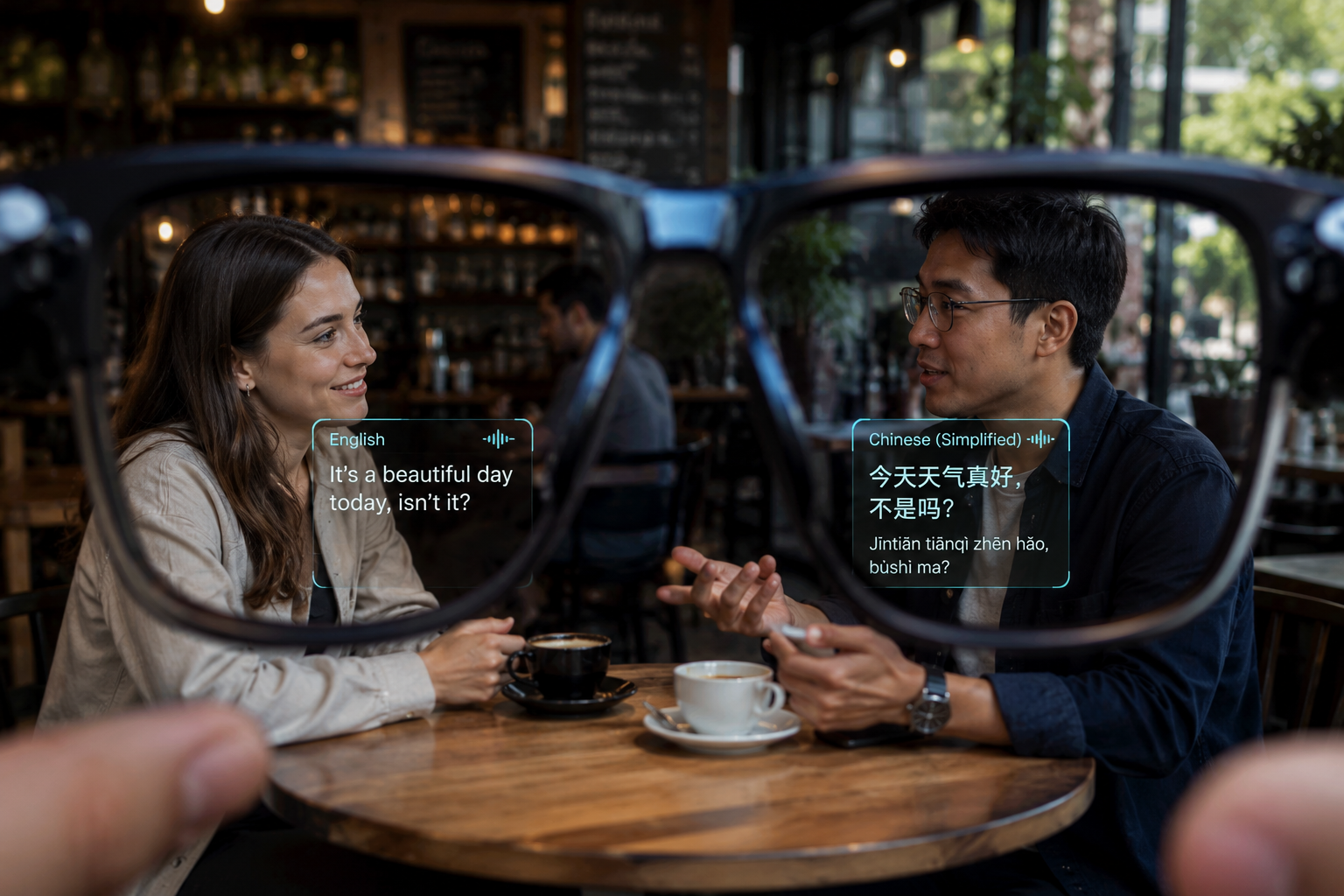
This is the opposite design philosophy from camera focused glasses, and it is worth knowing about even if it is not the first name people mention. The G2 has no camera at all. Instead it uses a discreet display built directly into the lens that shows text for translation, notifications, and a built in assistant, all while looking close to a normal pair of prescription glasses. At just 36 grams, it feels far closer to eyewear than to a wearable device, and that won the model an Innovation Award at CES 2026.
This is the right choice for someone who works in an office, attends a lot of meetings, or simply wants glanceable text without the bulk or social awkwardness of camera glasses. The catch is the price starts around $599, and the AI assistant, while functional, is noticeably less capable than Meta’s at handling open ended questions. There is also no entertainment display here. It is built for reading, not watching.
Best Budget Option With Real AI Features: Solos AirGo Series
For anyone who wants AI features without spending close to $400, the Solos AirGo line stands out by integrating ChatGPT directly for real time translation and basic productivity tasks. It is not going to match the polish of Meta’s hardware or camera quality, but for someone testing whether smart glasses fit into their routine at all before committing to a pricier pair, this is a sensible entry point.
Best for Outdoor and Active Use: Chamelo Music Shield
Worth mentioning separately because everyday use does not always mean office or city life. If your daily routine includes running, cycling, or general outdoor activity, these combine open ear audio with lens tint that adjusts from clear to fully dark sunglasses with a simple swipe. They carry an IPX4 splash resistance rating, which covers sweat and light rain but not full submersion, so swimming is out. The audio is good enough for music and calls without rivaling dedicated earbuds, but the appeal here is staying aware of traffic and surroundings while still getting music and basic AI assistance.
What About Display Glasses Like Xreal or RayNeo?
These exist in a different lane entirely and are worth a quick mention so you do not buy the wrong category by mistake. Glasses like the Xreal One Pro or RayNeo Air 4 Pro are built around projecting a large private screen, essentially turning the glasses into a portable monitor for your phone or laptop. They are genuinely excellent for watching video on a flight or working from a screen you cannot easily set up elsewhere, similar in spirit to carrying a portable monitor for your laptop except worn rather than propped on a desk.

XREAL One Pro AR Glasses
What they are not built for is walking around and using AI assistance throughout your day. They need a connected device for video output, and wearing a display heavy headset while doing errands or having a conversation is not the use case they are designed for. If your goal is “everyday assistant,” skip this category. If your goal is “private screen for travel and media,” it deserves its own separate research.
What Google and Apple Are Bringing Later in 2026
It is worth knowing what is coming even if you cannot buy it yet, since it affects whether buying now or waiting makes more sense for you. Google confirmed at its developer conference that Gemini powered glasses are launching in fall 2026, built in partnership with Warby Parker for everyday frames and Gentle Monster for fashion forward styles, with audio only models arriving first and display versions following later. These will pair with both Android and iOS phones, which is notable since most current AI glasses lean toward one ecosystem.
Apple is reportedly working on its own smart glasses as well, though credible reporting points to a late 2027 retail launch rather than anything imminent. If you are an iPhone user who wants the tightest possible integration eventually, that is a long wait. For most people, buying a solid pair now and upgrading in a year or two when the market settles further is the more sensible path than holding out.
What Actually Matters When Choosing, Beyond the Spec Sheet
A few practical factors decide whether glasses get worn daily or end up in a drawer, and they rarely show up clearly in spec comparisons.
Comfort over hours matters more than almost anything else. Heavier display glasses become noticeable on your face after extended wear in a way that audio only frames simply do not. If you plan to wear these most of the day rather than for short bursts, weight should weigh heavily in your decision, no pun intended.
Camera versus no camera is also a real decision point, not just a feature checkbox. Camera equipped glasses are more useful for hands free capture and visual AI assistance, but they raise legitimate questions in offices, schools, and anywhere privacy policies matter. Camera free models tend to be the easier sell in professional or shared environments.
Battery life claims should be read skeptically. Manufacturer numbers assume light use, and actually relying on the camera, voice assistant, or display regularly will drain a charge faster than the marketing page suggests. A charging case that tops up the glasses throughout the day, like the redesigned Meta case, matters more in practice than the raw battery number on the glasses themselves.
Ecosystem lock in is easy to overlook until you are stuck with it. Meta glasses lean on Meta AI and its app ecosystem, while other brands tie into their own assistant or a third party AI service. If you are already deep into a particular phone or assistant ecosystem, picking glasses that play well with it avoids friction later.
Frequently Asked Questions
Do AI smart glasses work without my phone nearby?
Most current models need a paired phone for full functionality, especially for translation, AI queries, and uploading photos or video. A few basic features like music playback can work with onboard storage, but treat your phone as a required companion rather than optional.
Are camera equipped smart glasses legal to wear everywhere?
Generally yes for personal use, but recording in private spaces, gyms, or workplaces with strict privacy policies can be restricted regardless of the device. Some venues have specific rules about camera glasses, so it is worth checking local policy if you plan to wear them somewhere sensitive.
Can I get prescription lenses for AI smart glasses?
Yes, most major brands now offer prescription lens options or partner with optical retailers, including Meta’s collaboration with EssilorLuxottica and the new Google models partnering with Warby Parker. Confirm prescription support before buying if you need corrective lenses.
How long does the battery actually last with regular use?
This varies significantly by model and how heavily you use the camera, display, and voice assistant. Audio only glasses with no display tend to last closest to their advertised numbers, while anything with a screen or heavy camera use drains noticeably faster than the spec sheet implies.
Is it worth waiting for Google’s or Apple’s glasses instead of buying now?
If you want something usable today, buying a proven option like the Meta Ray-Ban Gen 2 makes more sense than waiting. Google’s audio glasses arrive later this fall with limited initial details, and Apple’s are not expected until 2027, so waiting means going without for a long stretch if daily AI assistance is something you actually want now.
The Bottom Line
For most people who simply want a daily AI companion without changing how they look or live, the Meta Ray-Ban Gen 2 remains the safest and most well rounded pick in 2026. If reading discreet information matters more than capturing video, the Even Realities G2 fits that need despite the higher price. Budget-conscious buyers testing the waters have a genuine option in the Solos AirGo line, and anyone with an active outdoor routine should look at something built for movement like the Chamelo Music Shield rather than forcing a camera focused pair into that role.
The category has moved past being a tech demo. Pick based on how you actually want help delivered, audio or visual, camera or none, and the right pair will earn a permanent spot on your face rather than a drawer.